An Homage to Bloggers (Repost for Blogging 201)

blogging 2

“Writing is the only way I have to explain my own life to myself” Pat Conroy

An Homage to Bloggers

The blogging day is done
And the time has come
To finally move along
Maybe, even with a song

So let’s all keep blogging
Even while jogging
Do not believe in flopping
And around the www keep popping

funny-blog-quote

Blogging 201, Day Ten: Give ‘Em What They Want, II

Blogging 201, Day Ten: Give ‘Em What They Want, II

descartes_blogger

“Blogging isn’t about publishing as much as you can: It’s about publishing as smart as you can” Jon Morrow

Blogging 201, Day Ten: Give ‘Em What They Want, II

Today’s assignment: create a poll and/or a survey to collect feedback from your readers on your site and its content.

Why do this?

– Because data deepens your understanding of what readers love (or don’t love).–
– Because data can illuminate traffic drops and boosts you might see in your blog’s stats.

First off, thank you a great many for this excellent and interesting Blogging201 event. The assignments have been of interest and even needful for myself and I really have learnt a lot and gained new blogging buddies during the process too!

That being said, regarding today’s assignment:

I have had the illusion, in which blogging can be everything and nothing. You can be either a professional blogger or a writer posting your own thoughts, images, what have yous.

As for myself, I am mainly writing for myself. As for what ever else I do, photography, videography, songs, poetry, etc, I am truly happy if anyone else enjoys what I have to offer, but, I absolutely will not change my direction, my style or the things I do if there are those who do not like them. I will always try on new things, but that usually comes from within, not by suggestion. Well, that is not entirely true, someone may suggest something and I will pick up on that, but still do it my own way. I love prompts, but I usually do not follow the guidelines exactly, rather add my own twist to them.

Of course I am interested in statistics and how many likes I get, who wouldn’t be! But then again, you cannot always please everyone every time.

To summarize my ranting, polls and surveys are not for me, not for my current blog at least.

Related posts:
An Homage to Bloggers (Repost for Blogging 201)

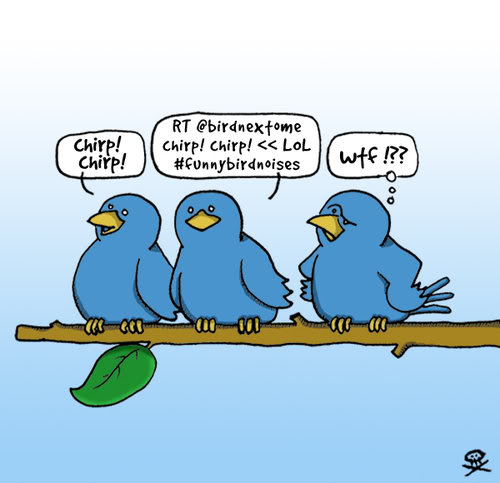
Twittercartoon

Blogging 201, Day Nine: The Buddy System

Blogging 201, Day Nine: The Buddy System

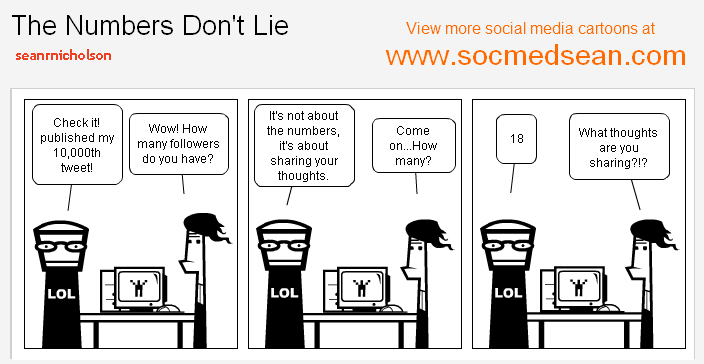
what-are-your-twitter-numbers-telling-you-about-your-content-cartoon.gif

“All blogs have one faithful reader at least – Google bot”

Blogging 201, Day Nine: The Buddy System

Now, we want you to think about taking a friendship to the next level, so you’ll have that support once Blogging 201 ends. We know commitment can be scary, but it’s time.

Today’s assignment: find a blogging buddy. If appropriate, plan to publish guest posts on one another’s blogs.

If you don’t see guest posters as an option for your blog, that’s totally fine. You can find a buddy to lean on for feedback and support, minus the guest posting.

Why do this?

* Because your blogging buddy is sure to tell their friends and followers about their guest post on your site, bringing you some potential new followers and maybe even a traffic bump.
* Because collaborating spawns post ideas you can both use to fill out your editorial calendars.
* Because it’s always more fun to do something with a friend — especially a naturally community-oriented activity like blogging. You can laugh, make mistakes, teach one another, learn, and have fun supporting each other along the way.

Personally, I am happy to work solo for the moment. I already feel the overwhelming support and feedback given by my fellow bloggers and followers, which helps and encourages me to do even more. Ideas I have plenty of, but time, or rather lack there of, is the enemy. Working full time and running a blog as “a second job” is filling all my spare time quite nicely and then some. Therefore, concentrating on my own blog and checking out the other sites on the side will have to do for now.

Lead-Generation-through-blogs2.gif

Blogging 201: Day Eight: Make Your Blog a Hub

Blogging 201: Day Eight: Make Your Blog a Hub

blog-joke-3

“Despite the fact that no one views or cares about my blog, I will continue to spend the majority of my life updating it” Unknown

Blogging 201: Day Eight: Make Your Blog a Hub

The internet is a big playground. If you’re serious about your development as an online publisher, you need to think about opportunities beyond your blog, with your blog as your digital homestead.

Think of your site as a space to develop your online presence and personal brand strategically, promote your work in a way that makes sense for you, and connect and share your other projects and work across the web: a hub for you, as well as a place to publish posts.

Today’s assignment: create a page or section on your blog to display links to your online presence elsewhere, and make sure your other presences reflect the brand you’re developing on your blog.

Why do this?

– Because as online publishers, our work is naturally scattered across the web — you want your readers and followers to find you. Building your personal brand means expanding your reach beyond your blog while keeping it the focus.
– Because sometimes you have material that doesn’t quite fit on your site, and you want to make this complementary work accessible.

On the main page of Rantings Of A Third Kind, the social media buttons are present in several places. Both the Instagram and Flickr feeds are shown as widgets. What is still missing, is the widget for the 500px feed, work in progress to find and making it.

On the “About” and Biography pages the social media links are presented in their own sections.

Those of you who have ventured to my blog and browsed about, may have noticed this page:

Links 4 Writers

This page contain links where writers can find information on writing, submissions and other connection hubs. I also have a profile on the Stage32 hub.

Related posts:
Blogging 201: Day Six: Dig Deep into a Social Network
Blogging 201, Day Four: Give ‘Em What They Want
Some Social Media Bullshit

blogging-585x333

Blogging 201: Day Seven: Make the Most of Events

Blogging 201: Day Seven: Make the Most of Events

cartoon-1112-orig

“When I first came out there was no such thing as Twitter or Facebook. And the blogs! Like, what is that?” Christina Aguilera

Blogging 201: Day Seven: Make the Most of Events

When it comes to building a strong community around your blog, nothing replaces steadily publishing and commenting on others’ blogs — but that doesn’t mean you can’t help yourself (and your blog) target new audiences through blogging events, both virtual and in real life.

Today’s assignment: create a recurring blogging event on your site, and/or make plans to attend a blogging conference.

Why do this?

– Because hosting a blogging event attracts visitors beyond your immediate network of blogger friends.
– Because running an event or participating in a blogging conference helps raise your profile in the community and grow your audience.

I really appreciate the hosts put their time and effort in the shows for the blogging events. Lots of work and effort are needed to keep up with the posts, updates and what ever it entails. I, myself am currently more a part taker than a caretaker. The benefits of the events are the sense of community, valuable feedback and of course, more visibility.

As for myself being a host to any such event: If and when I am ever blogging as a full time paid blogger, then I will seriously consider hosting some events.

But, until such time, feel free to invite me to your event, I am in whether writing or photography or maybe even something different, I’ll be there!

Twittercartoon

Blogging 201: Day Six: Dig Deep into a Social Network

Blogging 201: Day Six: Dig Deep into a Social Network

images

“The Internet destroyed most of the barriers to publication. The cost of being a publisher dropped to almost zero with two interesting immediate results: anybody can publish, and more importantly, you can publish whatever you want.” Dick Costolo

Blogging 201: Day Six: Dig Deep into a Social Network

Today’s Assignment: pick one social network you’ll use to help grow your blog. Then, outline a plan for how you’ll use it.

Why do this?

• Because blogging is about building a community, and other social networks have ready-made communities.

• Because social networks are a great place to continue tangential conversations and experiment with content. Facebook, Twitter, Pinterest, Instagram, LinkedIn…where to start? A big brand might use every single one, but a big brand also has a social media department. You have the Department of You, so be selective.

I went “social media” the first day of my blog: Facebook, Twitter, Instagram, Flickr, 500px, LiveJournal, Tumbler, Pinterest, Google+ and LinkedIn.

All the posts published are sub-posted on these sites. I am getting followers from all these sites and even feedback given through them or email. I don’t see a blog surviving without the social media, with the good and the bad which it contains. I have said it in the past and will say again: I have a love-hate relationship with the social media, but as the old adage goes: Better the Devil you know 😉

I have also reposted several bloggers’ posts, which I have found to be something to be shared to a wider audience and intend to continue doing so also in the future.

Related posts:
Blogging 201, Day Four: Give ‘Em What They Want
Some Social Media Bullshit
new-yorker-blogger-cartoon

Some Social Media Bullshit (Repost for Blogging 201)

‘Connecting people – The artist formerly known as Nokia’

27b1c2cdef8246d2f895bba44cc14f97

Some Social Media Bullshit

You don’t have to like it, but have to be in there: The social media of the world wide web. After all, who wants to be a complete social outcast!

Here are a few examples of what can be used for keeping in touch with family, friends and even your favourite movie stars!

* Assbook: Like opinions, everyone has more than one
* Angstagram: I post photos of myself and my eating habits, therefore I am
* Bitter: You would be too if no one is following you, right?
* Benchpress: For every self aware blabber, but more artistic ;P
* Tiedup: A must for professionals, endorse endorse endorse until you drop!
* You-boob: You did something stupid, maybe flashed a body part usually hidden, it got on video and uploaded on the internet and now you are the star of your own show!

A typical modern person’s day

@In the morning
The alarm clock is going off, it’s time to get up.
What is the first thing you do?

#Pick up your phone from the night stand and:

A) Check your social media apps
B) Check your email

@Driving in the car to your place of work.
Listening to the radio and the DJ is urging you to snap a photo and upload it to their site:

#uploadfunnypic

A) You are snapping selfies and almost bumping into the car that stopped in front of you. (The other driver possibly doing the same thing as you).
B) You are twatting your social media buddies of what you just did.

@Lunch time everyone with their phones in their respective hands. Not one word is spoken to anyone ‘live’, but they all are:

A) Chatting (and oh yes, there are actually office use approved ones too: Yank!)
B) Updating statuses on various social media apps.
C) Uploading photos of what they ate (of course, a must for every self aware social medialite).
D) Someone shared a funny video and twatted the link to everyone else around the table.
E) Everyone watching the video.
F) Everyone twatting feedback to each other.

@Coffee break everyone is:

A) Uploading photos of coffee and doughnuts they will consume.
B) Chatting with the people around the coffee table.

Back home from the office.

@Dinner table the family is sharing a meal and their respective day:

A-F apply here too.

@Midnight, bedtime:

A) Time to recap today’s event in your “blab”.
B) Latest friend updates to be checked (so not to miss any important things such as what your friends ate or what they were watching on TV, etc.)
C) Twatting everyone

#g’night!

Sometimes though, you have to be more low tech. For example in the situation, where your respective spouse is not quite on the same level of enlightenment regarding the social conventions of the social media as you are. Then you have to resort to archaic methods like the SMS.

Wishing your spouse

#sweet dreams xoxo

Lesson learnt:
Getting anything done; 3% is talent, 97% is staying off the internet.

social-networks2

Blogging 201, Branding and Growth: Day Five: Make the Most of Your Archives, Part One

Blogging 201, Branding and Growth: Day Five: Make the Most of Your Archives

“I think I am about 5 for 500 when it comes to successful ideas vs flops” Jeremy Schoemaker

Blogging 201, Branding and Growth: Day Five: Make the Most of Your Archives, Part One

The internet is ephemeral — you publish a post, and it sinks to the bottom of your blog before you know it. You’re competing with breaking news and dealing with short attention spans.

Readers and search engines love seeing new content on your homepage, but you can keep things even fresher by highlighting your archives: your best posts, hidden gems, and timeless content. After all: if a reader just found you, it’s all new to them!

Today’s assignment: integrate a feature to draw traffic to your older content like a widget, related posts, or a “Best of” page.

Why do this?

* Because a go-to page compiling your best posts is the simplest way to get readers to your content — you never know which post will pique someone’s interest, so make the good ones easy to find.
* Because while your About page does a great job introducing you, a curated selection of posts further illustrates your perspectives.

* Customizer to promote older work in your sidebar and footer, including the Top Posts and Page Widget, Archives Widget, and Categories Widget. These widgets automatically pull in archival and popular content — they’re quick, easy additions to drive traffic to older work. Each widget has configuration options, so you can control how much real estate they take up.

* Activate the Related Posts feature, which analyzes the words in each post, searches your site for similar posts, and displays related content at the bottom of every post.


GO TO: Previously on Rantings Of A Third Kind…


welcometoblogging

Previously on Rantings Of A Third Kind… (Blogging 201, Day Five)

Blogging 201, Branding and Growth: Day Five: Make the Most of Your Archives

eraser
“Breathe. Know that the Internet has no eraser” Liz Strauss

Previously on Rantings Of A Third Kind…

Previously on Rantings Of A Third Kind…

A page for Photography was designed
To be country specific was defined
And all the related posts to combine
Maybe what you seek, you here shall find

The page for Daily Poem briefly existed
To pending status it was soon listed
For more than one per day a poem coexisted
And to an overwhelming task insisted

Throwback Thursday was also introduced
Much more traffic it did produce
Not even that Bruce could reduce
And it did give the creator much more juice

Gidgets, gadgets, all types of widgets
On the pages already existed
To name but a few
And give them their due

Top posts, calendar, pages and archive
Better give me the high five!
Before going live
With another trial

A showcase for most favourite posts
As presented by the host
Could once more, be the thing of the week
Or maybe something else ya seek?

Looking for
Calendars, Challenges or Yesterday’s news
It is all in here
But with a click or a few

Before you’re leaving
A small reminder
Don’t forget tuning in
Againg tomorrow
To this world wide
Virtual binder

funny-blog-cartoon-image

Blogging 201, Branding and Growth: Day Three: Get Read All Over, Part One

Blogging 201, Branding and Growth: Day Three: Get Read All Over

writingmobile

“In many parts of the world, more people have access to a mobile device than to a toilet or running water” Nancy Gibbs

Blogging 201, Branding and Growth: Day Three: Get Read All Over, Part One

Over the past few days, you’ve been brainstorming about your brand and thinking about the elements of a well-designed site. None of that matters if readers can’t view your site properly across various devices.

Today’s assignment: make sure your site is mobile-friendly, and familiarize yourself with the features of responsive design.

Why?

Because a responsive website looks great on all screen sizes, from computer to tablet to phone.
Because there are mobile tools built in to WordPress.com — there’s no need to know web development to have a mobile-friendly site.

We’re a culture on the go, no longer just reading on desktop computers, but consuming information on the phones in our pockets, and sharing thoughts from iPads at 35,000 feet. People read blogs on phones — on the subway, in line, in the bathroom, just before they go to sleep at night.

In the Theme Showcase, you can choose from lots of “responsive” themes: they’re built to look great across all devices, and “respond” to different screen sizes by adjusting themselves. (While some older themes aren’t responsive, these days all new themes are.) If you’re not sure if your theme is responsive, check its description page; you can also search specifically for responsive themes.

You can use the Customizer to “test” your site on different devices — this allows you to see how responsive design works, and you can also play with options to find the perfect mix that makes you happy on the big screen and the small.

To launch the Customizer, head to your blog, click on “My Sites” in the top-left corner of the screen, and click on Customize. You’ll see these symbols near the bottom of the customizing tools:

From left to right, these symbols represent desktops, tablets, and smartphones. Clicking between them emulates the look of your content on different screens. Go ahead, click on one and watch your blog shift.

If you have a responsive theme…

… you may find that you want to make some changes — that font you loved might be too cramped on an iPhone, or you might not love the way your header changes on your Nexus. Sometimes, responsive themes move and condense different elements of your blog to create a better experience, so you’ll want to make sure you’re happy with how your widgets and menus work.

Make tweaks in the Customizer, and preview them on different screen sizes to make sure you’re satisfied with your blog’s look across all kinds of devices.

If you don’t have a responsive theme…

…ensure your site looks good on phones and tablets by enabling Minileven, a mobile-specific theme based on the Twenty Eleven theme. Any WordPress.com blogger can use Minileven for their mobile site without affecting their standard theme; your blog will automatically detect when someone’s using a phone or tablet.

Note: you don’t have to activate Minileven if your current theme is already responsive — you’ll see a note in the “Mobile” section of your Dashboard if your theme is already mobile-friendly.

Minileven has a clean design and pulls in your custom header (along with other tweaks, like custom colors or CSS), to give your mobile blog a personalized feel that’s simple and readable. To make sure it’s enabled, go to the Appearance → Mobile tab in the WP-Admin part of your dashboard and select “Yes” next to “Enable mobile theme.”

For more convo, head to The Commons, where your co-bloggers can check out your blog on their own phones and tablets, and give you a heads-up if your mobile experience could use an adjustment.

t-mobile data outage


Part Two: Get Read All Over, Part Two