900 Post Celebration @ Rantings Of A Third Kind

Celebration time on Rantings Of A Third Kind

redballoons

“I blog, therefore I am”

900 Post Celebration @ Rantings Of A Third Kind

900th

Today is a great day and certainly a time for celebration!
I have posted my 900th post on Rantings of a Third Kind.
Thanks to all my followers and readers for keeping me going!

Keep calm and keep on blogging!
Gun

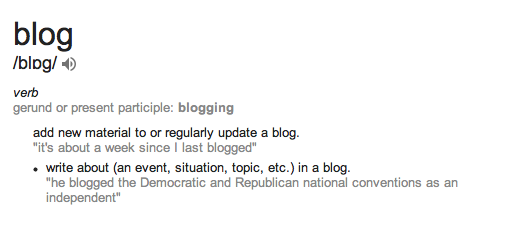
blog def

Blogging 201, Branding and Growth, Day One: Set Three Goals, Part Two

Blogging 201, Branding and Growth, Day One: Set Three Goals


“Blogging isn’t about publishing as much as you can. It’s about publishing as smart as you can.” Jon Morrow

Blogging 201, Branding and Growth, Day One: Set Three Goals, Part Two

Day One: Set Three Goals

Why do you blog? For notoriety? To get a book contract? To self-publish? To establish yourself as a leader in your field? To gain followers? To connect with others? To clarify your own thoughts?

All of the above, but then again, none of the above. Confused? Good! That means I got your attention 😉

Why did I ever start a blog you ask? Well, there really is a very simple explanation to that. In the prehistoric blogging ages, you know those, when the dinosaurs roamed the earth… Ok, so maybe not that far back. Let’s go back some ten years, before the times of today’s so called social media and blogging. People actually wrote and published on the internet, but those days it was more personal and tight knitt groups who wrote and followed each others’ writings. I used to be one of those people.

In the here and now, everything is easy and you can post your thoughts, life and pretty much anything your heart desires and there are others who either a) read and enjoy what you have to offer or b) read and hate it. Simple as that.

Still not convinced?
Well, I like to write so, there. Simple truth, now written “out loud”.
Guess a book deal, a script deal or similar wouldn’t hurt either 😉

If your blog exceeded your wildest dreams, what would that look like? Would you have a different design? How many followers would you have? How much traffic? What sort of community would participate? How often would you post?

I would actually pay good money for someone with similar vision and time to revamp my site. With the limited time I have for this “night job” which I like to call my blogging, I barely have time to write and snap photos, never mind the outlook of the pages. The knowhow is there, the time is not. I rather spend the precious time I have for writing and leave the admin to someone else.

As my blog states, everything and nothing for anyone and no one, so the net is cast wide and as far as dreams go, well, I would like the world to enjoy my offerings, both written and visual. I would prefer to post eight hours a day, have it as a full time job. The good deyeties know I have enough material to last a few lifetimes. However, the reality is, after some full ten hours on the paying job, my night shift on the blog takes only second priority before sleeping and eating of course 😉 However, that being said, I am currently posting every day at least a poem, photo and a theme per day. I am also taking part in quite a few challenges and of course, Blogging U courses!

So to summarize (or to make a promise):
1) Never miss a day of blogging
2) Keep in touch with the community
3) Try on new things (for the blog) ;P

Keep Calm and Keep On Blogging Everyone!

104_main

Blogging 201, Branding and Growth, Day One: Set Three Goals, Part One

Blogging 201, Branding and Growth, Day One: Set Three Goals


“Don’t procrastinate. If you want to blog, then blog.” Fritz Chery

Blogging 201, Branding and Growth, Day One: Set Three Goals

Day One: Set Three Goals:

Welcome to Blogging 201: Branding and Growth! We’re excited about what we’re going to cover over the next two weeks, and we’re glad you’re joining us for the ride.

Today we want you to do a bit of thinking about your blog, so you can focus the next two weeks effectively.

Today’s assignment: consider what you want to accomplish with your blog. Write down three concrete goals.

Why are we doing this?

* Because writing down goals forces you to think carefully about what success means to you — “success” is different for everyone.
* Because having goals helps you focus. If something you’re doing isn’t helping you achieve your goals, ditch it.

Here are some questions to mull over to help you uncover/refine what’s most important to you about your blog:

Why do you blog? For notoriety? To get a book contract? To self-publish? To establish yourself as a leader in your field? To gain followers? To connect with others? To clarify your own thoughts?

If your blog exceeded your wildest dreams, what would that look like? Would you have a different design? How many followers would you have? How much traffic? What sort of community would participate? How often would you post?

Answering these questions helps you create a vision for your blog. Next, translate that vision into three specific goals. You can articulate your goals however you’re most comfortable, but we recommend making them simple, concrete, and time-based to create laser-like focus, like:

* Gain 20% more followers by January 15st.
* Increase average daily hits 30% by the middle of 2016.
* Publish three times each week during December and January.
* Spend one hour each week visiting my followers’ blogs, reading, and commenting from now until February 1st.
* Establish a new weekly feature on my blog by January 1st. (Throwback Thursdays, Wordless Wednesdays, Soup Sundays), and publish that feature each week through 2016.
* Create an editorial calendar for the next 90 days by December 31st.
* Gain 100 new Twitter followers by February 15th.
* Publish posts from three guests over the next three months.
* For bonus points, write a post detailing your blog’s goals and publish it. Making your goals public ups your accountability. Your readers will cheer you on, and might even find ways to help you achieve your goals.

Create a private page on your blog to keep track of your goals, or just write them on a post-it note — whatever works for you.

Stuck on what to pick for your goals? Not sure what’s actually reasonable? Head to The Commons to bounce ideas around with fellow challenge participants. You know the old saying: 1000 heads are better than one!

sell7

Blogger Recognition Award to the Fifth Degree

Posted in Awards, Blogger Awards, Blogger Recognition Award


award 1

“A blog is neither a diary nor a journal. Many people think of blogging in relation to those two things, confessional or practical. It is neither but includes elements of both” Lemn Sissay

Blogger Recognition Award to the Fifth Degree

I want to thank all the bloggers who have nominated me for this award. I am thrilled and honoured to have received so many of these awards.

Also a huge big thank you to all my readers, for your continued support and interest in what I have to offer.

As to these nominations, I have decided to break the rules a little and just post only this thank you for all who have given me the credit.


My heartfelt Thank Yous to all these lovely Bloggers:

Thank you Deb, blog “Once Upon a Hot Flash”,  for the nomination.

Thank you Sylvain, blog “Sylvain LANDRY, Photographe Reims France”, for the nomination.

Thank you Joanne, blog “Velissima”, for the nomination.

Thank you Jessy Mayann, blog “JESSAMAYANN”, for the nomination.

Thank you Robert Jones, blog “Storyville; Stories,Tales,Yarns and Other Adventures”, for the nomination.


It is always humbling to receive recognition by my peers and fellow bloggers!

blog therefore am

Keep calm and keep on blogging All!

800 Post Celebration @ Rantings Of A Third Kind

Celebration time on Rantings Of A Third Kind

redballoons

“I blog, therefore I am”

800 Post Celebration @ Rantings Of A Third Kind

800 posts

Today is a great day and certainly a time for celebration!
I have posted my 800th post on Rantings of a Third Kind.
Thanks to all my followers and readers for keeping me going!

Keep calm and keep on blogging!
Gun

blog def

Blogging 201, Day Ten: HTML Columns, Tables, and Post Styling

Blogging 201, Day Ten: HTML Columns, Tables, and Post Styling

Once you have some basic familiarity with HTML, you can use the HTML Editor to add code that overrides the Visual Editor’s defaults — handy for poets, creative writers, and anyone who has a very specific idea of how they want their posts to look.

Today’s takeaway: we’ll understand how to use HTML to manipulate a post’s formatting — making columns, adding (or removing) spacing, creating unusual indentation, and more.

The Visual Editor does a pretty good job of formatting content in a neat, reader-friendly way. But what if you have a particular vision for your post, and it doesn’t give you enough flexibility? HTML to the rescue.

blog 1

” I don’t want to go viral, I want to set hearts on fire. ― Coco J. Ginger”

Blogging 201, Day Ten: HTML Columns, Tables, and Post Styling

Head to the Commons to learn:

* How to use preformatting to space text exactly as you’d like
* How to control line breaks and indentation
* How to create columns
* How to add tables

Action time! Open a draft post, and create either a column or table from scratch using HTML. (You can trash the post when you’re done.)

My effort for the day:
Day Ten, Part Two

Keep calm and keep on blogging!

code 2

Blogging 201, Day Ten: HTML Columns, Tables, and Post Styling, Part Two

Blogging 201, Day Ten: HTML Columns, Tables, and Post Styling, Part Two, Test Page

blog 2

” I don’t want to go viral, I want to set hearts on fire. ― Coco J. Ginger”

Blogging 201, Day Ten: HTML Columns, Tables, and Post Styling

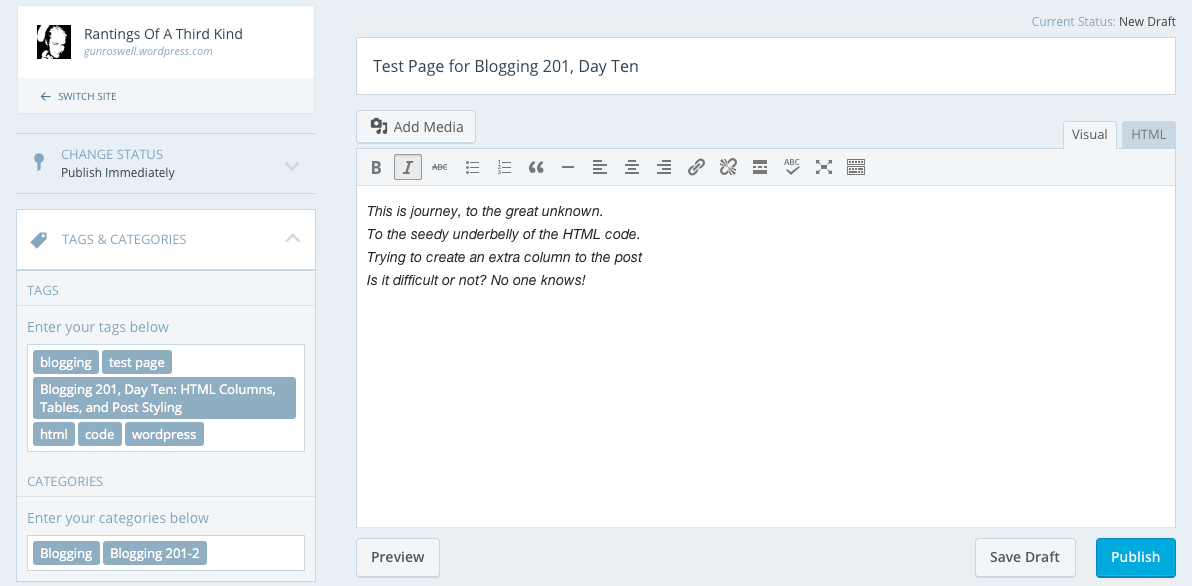
Test Page for Blogging 201, Day Ten

This is journey, to the great unknown.
To the seedy underbelly of the HTML code.
Trying to create an extra column to the post
Is it difficult or not? No one knows!


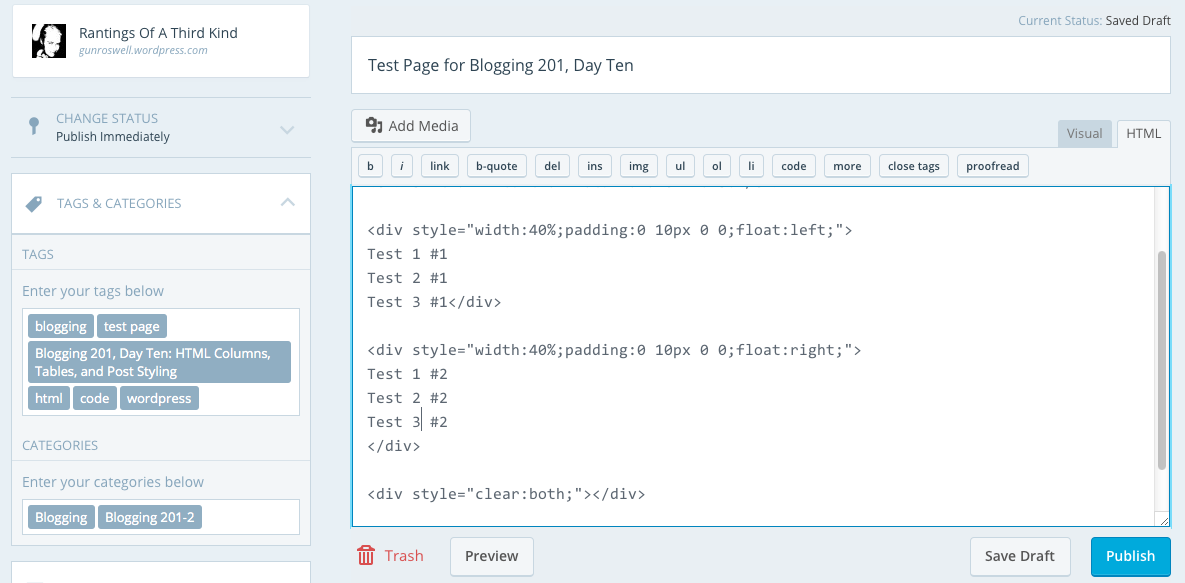
Today’s testing results:

visual

html

post


Keep calm and keep on blogging!

code

Blogging 201, Day Nine: HTML Basics

Blogging 201, Day Nine: HTML Basics

A few days ago, we talked about text widgets and gave you a bit of code that would let you display an image in a text widget. That code was HTML, and there’s lots more it helps you do.

Today’s takeaways: we’ll understand what HTML is, how to find our posts’ and pages’ HTML, and a few foundational HTML tags.

The content of all your posts and pages is written in HTML, even if you don’t know it. When you’re drafting, you have access to a Visual Editor and an HTML Editor. The Visual Editor approximates what your post will actually look like, and automatically creates the HTML. The HTML Editor lets you see and edit the underlying code; viewing your post in the HTML Editor gives you some more editing options, and can help clarify why your posts look the way they do.

html1


“Not only are bloggers suckers for the remarkable, so are the people who read blogs” Seth Godin

Blogging 201, Day Nine: HTML Basics

Head to the Commons to learn:

* What HTML is, and how to find yours
* Basic text styling with HTML
* Inserting links with HTML
* Inserting images with HTML

Action time! In your next post, create a link using HTML.

binaryfox__computer_background_by_wickedoreo-d5hlldg

First off, I have to admit I am actually quite familiar with HTML (and XML). I was already coding some twenty years ago with C, Java and C++. First in school, then in school again and surprisingly, the third time in school. I actually have a degree both in software and web design. But as life would have it, I ended up doing completely different things in the wide world of IT.

I have worked with MS SharePoint and Joomla, which in many ways are similar to the current offering of WordPress in the form of a blog site. I also used to build and host my own sites over ten years ago, when no such thing as blogging, twitter or similar existed. And believe you me, it took a lot of time and effort to complete one simple site.

Guess what I am trying to convey here is: Thank goodness for built in HTML editors, where I don’t have to worry about code anymore! Saves me a lot of time and effort to make a simple post out there for the world to see! But that being said…

In response to the action given, please visit my personal home page as guided by this link, done in HTML code:

Check out my personal home page!


Keep calm and keep on blogging!

stock-footage-d-background-of-green-binary-numbers

Blogging 201, Day Eight: Widget Visibility

Blogging 201, Day Eight: Widget Visibility

Widgets: can there possibly be anything left to learn? Yes! Time to dig in to widget visibility.

Today’s takeaway: learn to specify exactly which widgets appear on which posts or pages by using the visibility settings built in to each one.

Action time! Adjust the visibility settings of one of your widgets. You can always undo it, but get a sense of how the settings work.

simplified-blogging copy
“I no longer buy papers or tabloids or magazines or read blogs. I used to.” Adele

Blogging 201, Day Eight: Widget Visibility

Using widget visibility to your advantage

* Hide your Flickr Widget on posts tagged with “photography” if you don’t want Flickr image thumbnails displayed when visitors are viewing a photo-heavy post. (There is such a thing as image overload!) (Select Hide and add Tag is Photography.)

* If you have a group blog, show the Twitter Widget of the appropriate contributor on posts tagged with that author. (Select Show and add Author is [Contributor’s Name].)

* If you’re an author, hide the custom Image Widgets linking to your books on your “Books” page to avoid duplicate information. (Select Hide and add Page is Books.)

* Hide the widget displaying your blogroll on a “Favorites” page, which may also be full of links. (Select Hide and add Page is Favorites.)

I was playing around with the visibility settings a little bit today. I found it useful for the sidebar to be visible for the pages and posts. It’s very easy to navigate back and forth, when the options are handy on the right hand side, rather than using the back button or having to scroll endlessly.

The “hide” and “unhide” is an great option, if you have specific widgets and it was great to have learnt the how-to today:)

Keep calm and keep on blogging!

blogCartoon copy

700 Followers for Rantings Of A Third Kind

Celebration time on Rantings Of A Third Kind

celebration-image

rantings

“Developing your blog is a balancing act between appeasing current readers and reaching out to new ones.” Scribendi

700 Followers for Rantings Of A Third Kind

700 followers
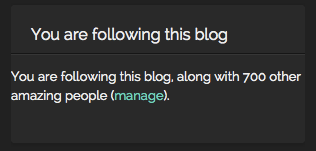
I am happy to announce a new milestone achievement today: A total of 700 readers are now following Rantings of a Third Kind!

A most sincere and huge thanks to all my readers!

Keep calm and keep on blogging!
Gun

Celebration-Wallpaper-HD-1200x800